Project 4: Display some Data for me
Due: Oct
18th at 11:59pm
Summary:
In this project you will open a window, and display some data using
arcade and the rest of the python you have learned.
caveat: if you had 6 months of
python experience, then you would use other fancier libraries to do this
sort of visualization. But since we do not, we'll use what we have.
Details:
For this project,
- First create a new project in pycharm make sure the project
name has your name and an indication of which project this
is.
- Download the project4.txt file into your
new project.
- Be sure to install and import the arcade library
- open the file and read in all the data: each line is in the format
- state,population-in-2022,change-in-pop-from-2021
- pop up a window
- on the window
- for each state line
- calculate the % change in population (from the current population
and the population change)
- decide a color
- if the %change is a loss of more than half a percent make the
color RED
- if the % change is negative, but not worse than -.5% then make the
color ORANGE
- if the % change is 0 or positive but less than half a percent make
the color YELLOW
- if the % change is half a percent to 1 percent then make the color
YELLOW_GREEN
- if the % change is more than 1% growth, make the color GREEN
- you may substitute any other series of five colors that are easier
for you to see if you want to.
- draw a bar/rectangle for each state's population (I recommend divide
the population by 100000 to get the number of pixels to display.)
- color that bar the right color for its %change specified above.
- draw the state name as text above the bar for that state
You can see an image of my solution to this project below
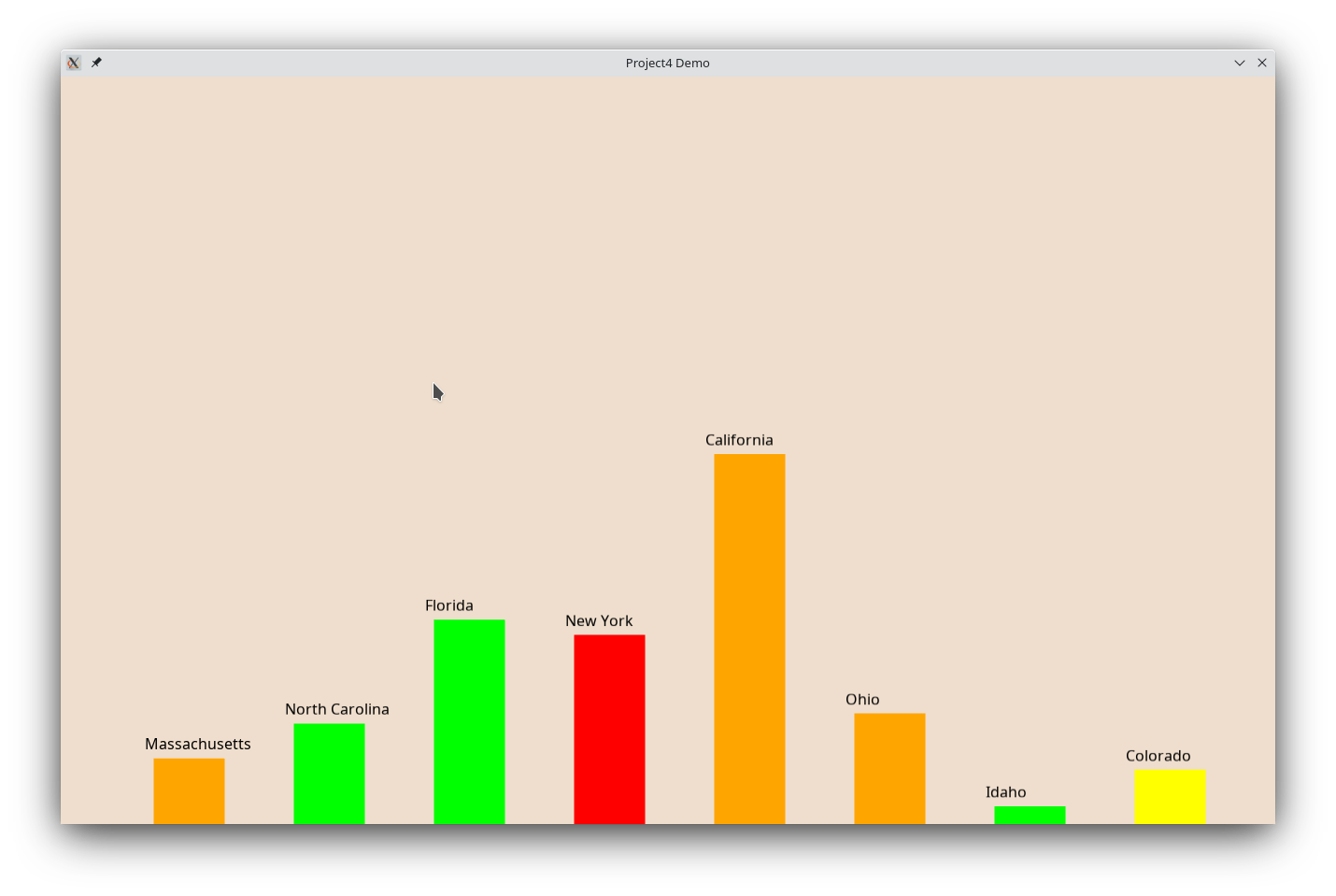
Of course put this into git and onto github sooner rather than later.
Additional requirements:
Your code must be commented you don't have to comment every line, but you
need to explain to me what you are doing in the code.
Submission:
As with the previous project, to submit
the project to me, share it with me on github. My github id is jsantore.
You can see directions for doing this here.